Your first nista shopping tab.
A visual introduction to the fitting room, from desktop Chrome setup to reviewing a preview beside the original listing.
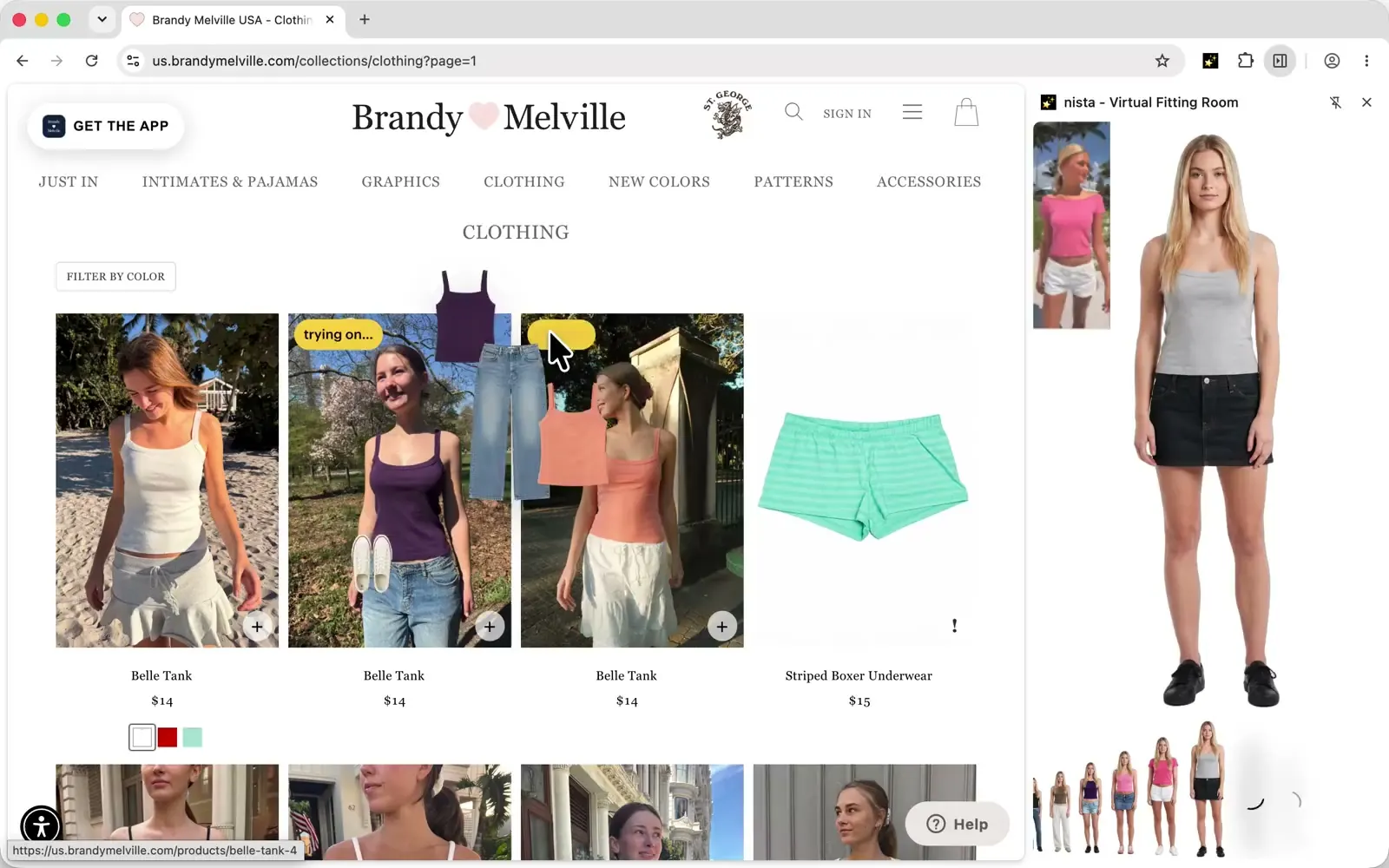
Start with one clothing item you are curious about. Keeping the first attempt simple makes it easier to understand the fitting room and compare the result with the product you selected.
The image above is nista's existing homepage demonstration. It shows a shopping page beside the fitting room. It is an introduction to the interface, not evidence that the current extension has been tested on every page or item shown.
Set up on desktop Chrome
Use the official nista Chrome Web Store listing. Review the extension information and permissions, then follow Chrome's installation controls. An “Add to Desktop” option on a phone does not install a mobile Chrome extension.
The installation guide walks through the setup and links to Google's instructions. If a button or permission step differs in your environment, follow the current browser guidance rather than a screenshot of an older interface.
Create your avatar and choose an item
Follow nista's onboarding instructions to create your avatar from your photos. Read the privacy policy before providing information if you want to understand how it is used.
Open a supported clothing image and follow the available try-on controls. Keep the listing in another tab or beside the fitting room so you can compare the original garment afterward. Starting with one item also makes an unexpected extra layer or change to another garment easier to spot.
Review the result before drawing a conclusion
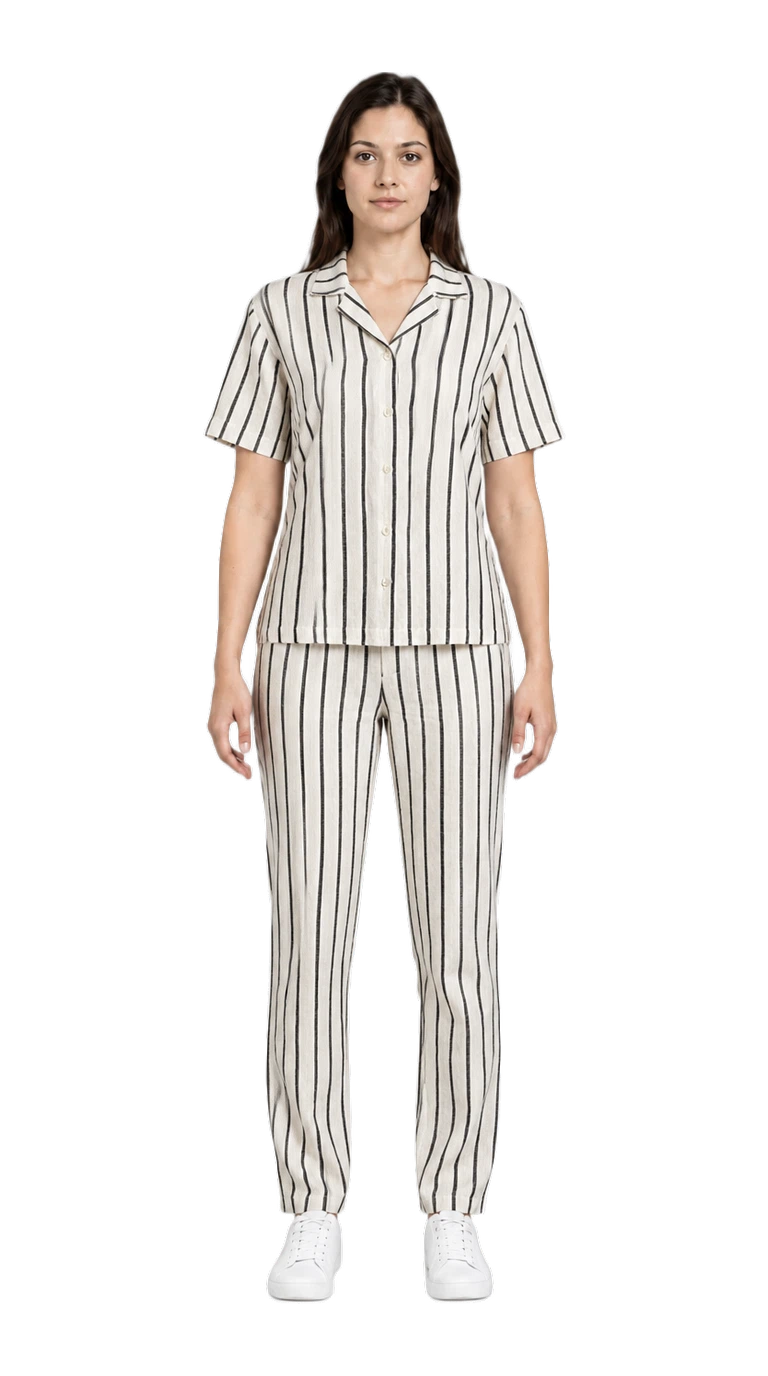
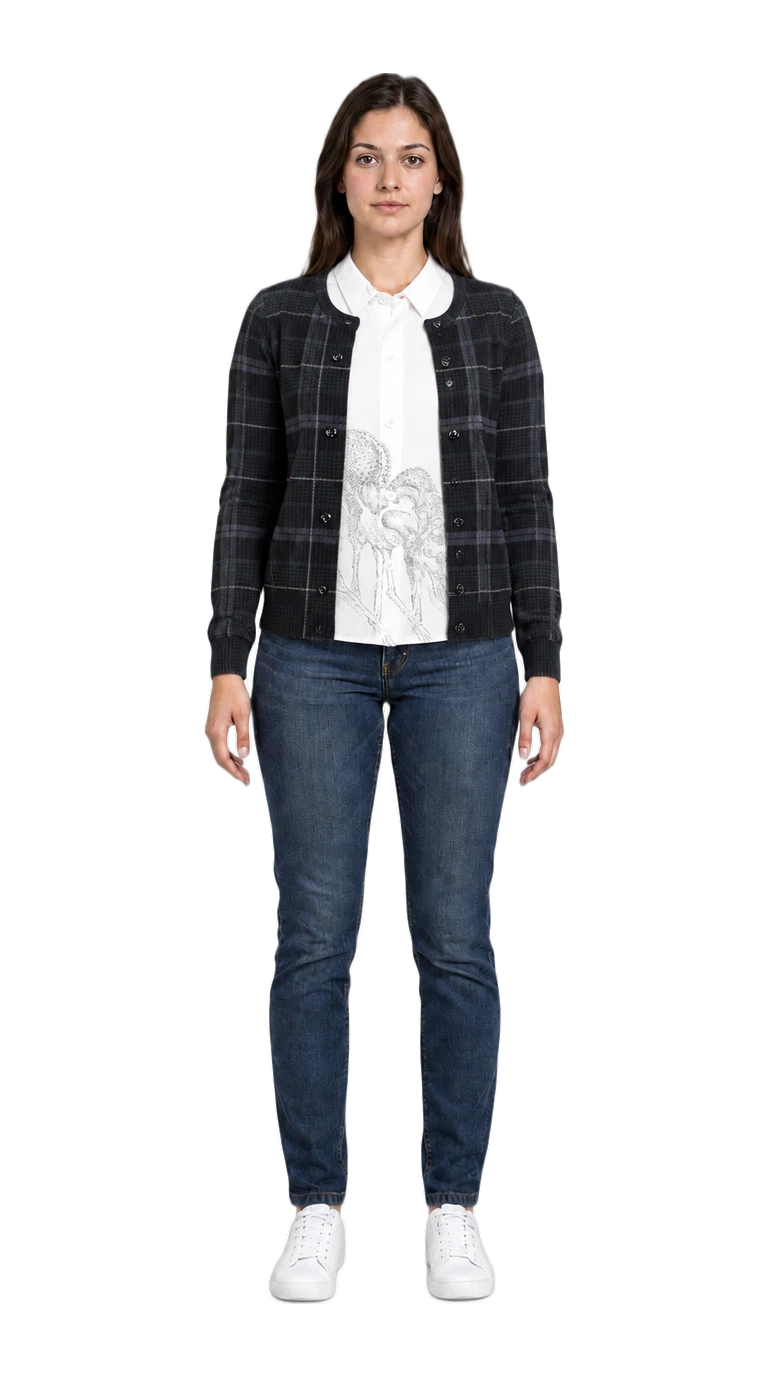
Look at the selected garment's shape, pattern, sleeves and closures. Then inspect the rest of the outfit. Our dated tests include a shirt that changed the trousers and a layered source image whose underlayer carried into the result.
Those examples do not predict every attempt, but they show why the original product photo remains useful. A completed preview is not a size recommendation or a guarantee of visual correctness.
Keep the buying decision grounded
Compare the actual garment measurements with clothing you already wear, read the composition and care information, and check the seller's current terms. Use the preview to explore an appearance alongside those details.
If you want to see what a real result can get wrong before starting, the four-store field note includes the images and their limitations in one place.